

From the neon-soaked streets of Cyberpunk 2077 to the crushing atmosphere of Blade Runner 2049, the Sci-Fi genre is defined by its sound. It’s not just about synthesizers; it’s about texture, distortion, and movement.
As a composer or producer, you know that standard "clean" presets don't cut it. To get that dystopian vibe, you need sounds that feel broken, industrial, and heavy.
In this tutorial, I’m going to show you exactly how to build a Gritty Industrial Bass from scratch using Xfer Serum. By the end of this guide, you'll understand how to use FM synthesis and heavy distortion to bring your Sci-Fi tracks to life.
Step 1: The Oscillators (Setting the Foundation)
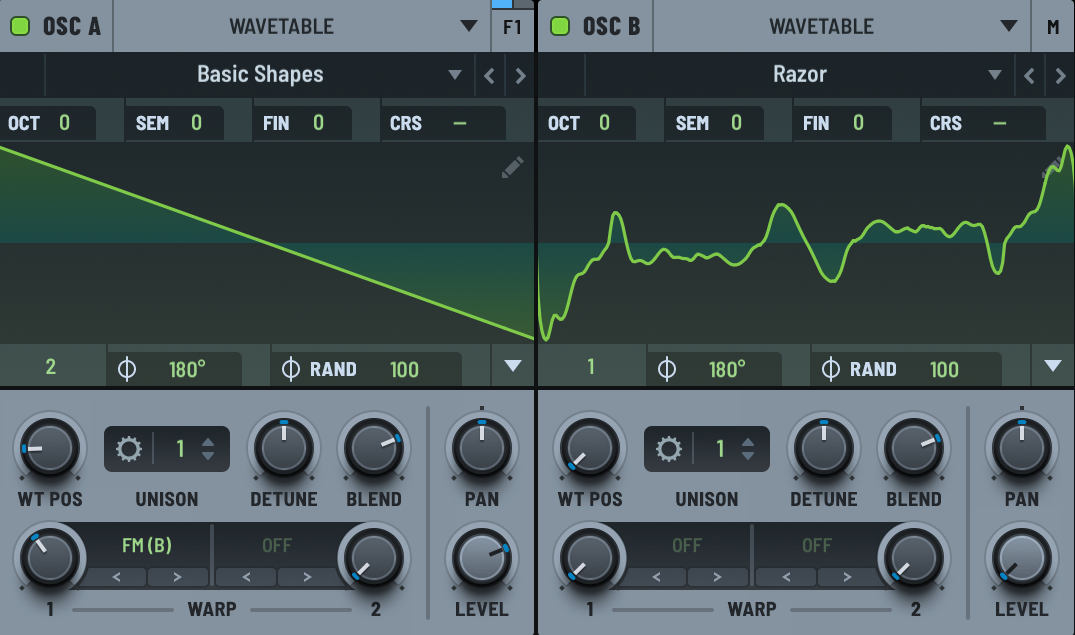
Oscillator A: Load up the Basic Shapes wavetable and select the Sawtooth wave.
Oscillator B: This will be our modulator. Select a complex wavetable like Dist WaTech or Razor (from the Digital folder).
FM Synthesis: Turn the level of Osc B all the way down to 0. Then, go to Osc A and use the "FM from B" warp mode. Crank the knob to about 30-40%.
Pro Tip: Don't keep the sound static! Apply a slow LFO to the Wavetable Position of Oscillator B. This creates that shifting, metallic timbre characteristic of the genre.
Step 2: Filtering and Movement
A raw saw wave is too harsh. We need to tame it and make it growl.
Turn on the Filter section.
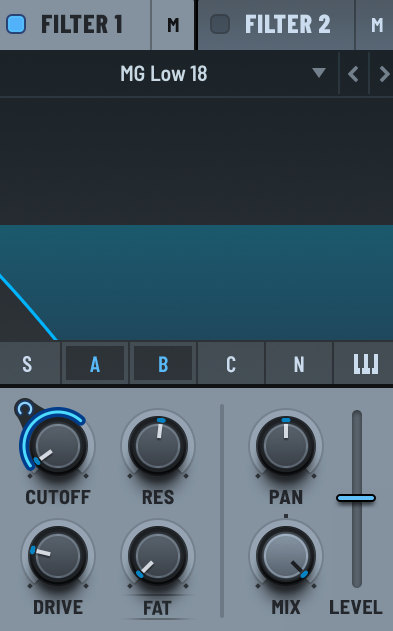
Select the MG Low 18 or 24.
Route both Osc A and B into the filter.
Set Resonance about 50%, and increase the Drive on the filter to add warmth immediately.
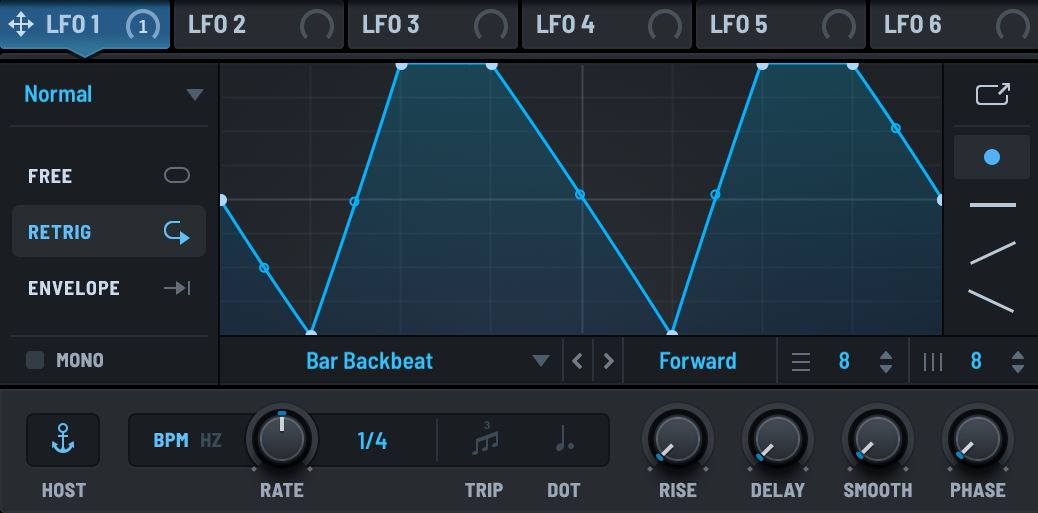
The Secret Sauce: Map LFO 1 to the Filter Cutoff. Set the LFO shape to a rhythm (like 1/8 or 1/4) or a slow ramp for a drone effect.
Step 3: The FX Chain (Where the Magic Happens)
In Sci-Fi sound design, the FX tab is just as important as the oscillators. This is where we turn a simple synth patch into a cinematic weapon.
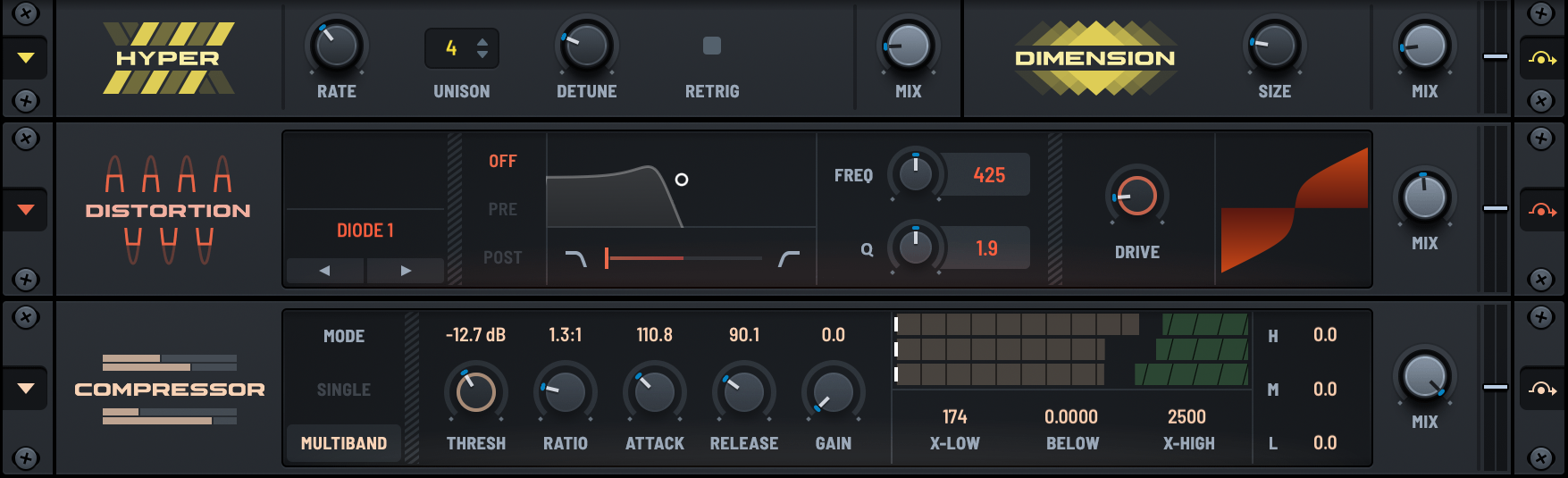

- Hyper/Dimension: Add a tiny bit of Hyper (10-15%) for stereo width.
-
Distortion: Absolutely essential. Select
Diode 1orTube. Drive it hard until it sounds aggressive. - Compressor (OTT): Turn on the Multiband mode. This will crush the dynamics and bring out those high-end metallic details we created with the FM synthesis earlier.
- Delay (optional): If you wish, you can add a little bit of delay (without exaggerating) to add extra depth.
Want more than just one bass?
Following the steps above gives you a solid starting point. But when you are scoring a film or producing a full track, you don't always have 20 minutes to design every single texture from scratch. You need a palette of sounds that inspire you instantly.
That’s why I created the Serum SciFi Bundle.
It is a comprehensive collection specifically designed for Sci-Fi, Cyberpunk, and Dystopian projects. I spent months tweaking the wavetables, distortion chains, and modulations so you don't have to.
What’s inside the bundle?
[1] SciFi Keys and Synths: From glitchy pianos and dystopian bells to LoFi Production stuff.
[2] Cinematic Pads: Evolving textures perfect for intros, breakdowns and filler.
[3] Glitch FX & Drones: Instant atmosphere for your game audio or background layers.
Hear the presets in action:
If you are ready to upgrade your sonic arsenal and finish your Cyberpunk tracks faster, grab the bundle below.